
在Linux下习惯使用ll、la、l等ls别名的童鞋到mac os可就郁闷了,
其实只要在用户目录下建立一个脚本“.bash_profile”,并输入以下内容即可:
alias l='ls -alhF'
alias la='ls -AFh'
alias ll='ls -lhAF'
然后在终端窗口中输入下列命令后,别名即可立即生效:
source ~/.bash_profile
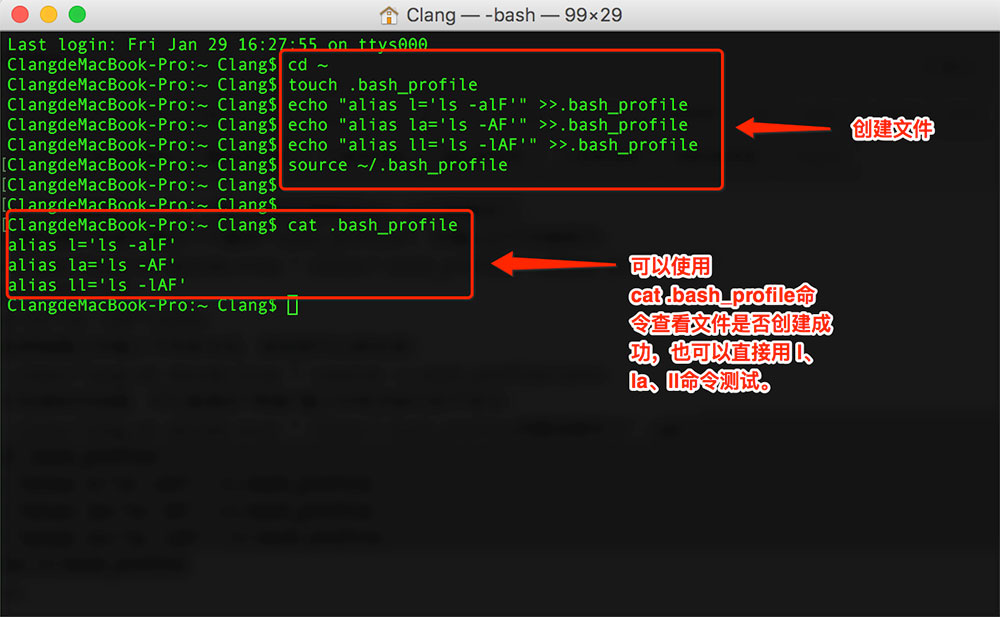
如果不知道如何创建,可以直接在“终端”窗口中依次执行如下命令:
cd ~
touch .bash_profile
echo "alias l='ls -alhF'" >>.bash_profile
echo "alias la='ls -AFh'" >>.bash_profile
echo "alias ll='ls -lhAF'" >>.bash_profile
source ~/.bash_profile
评论 (0)
评论已关闭